
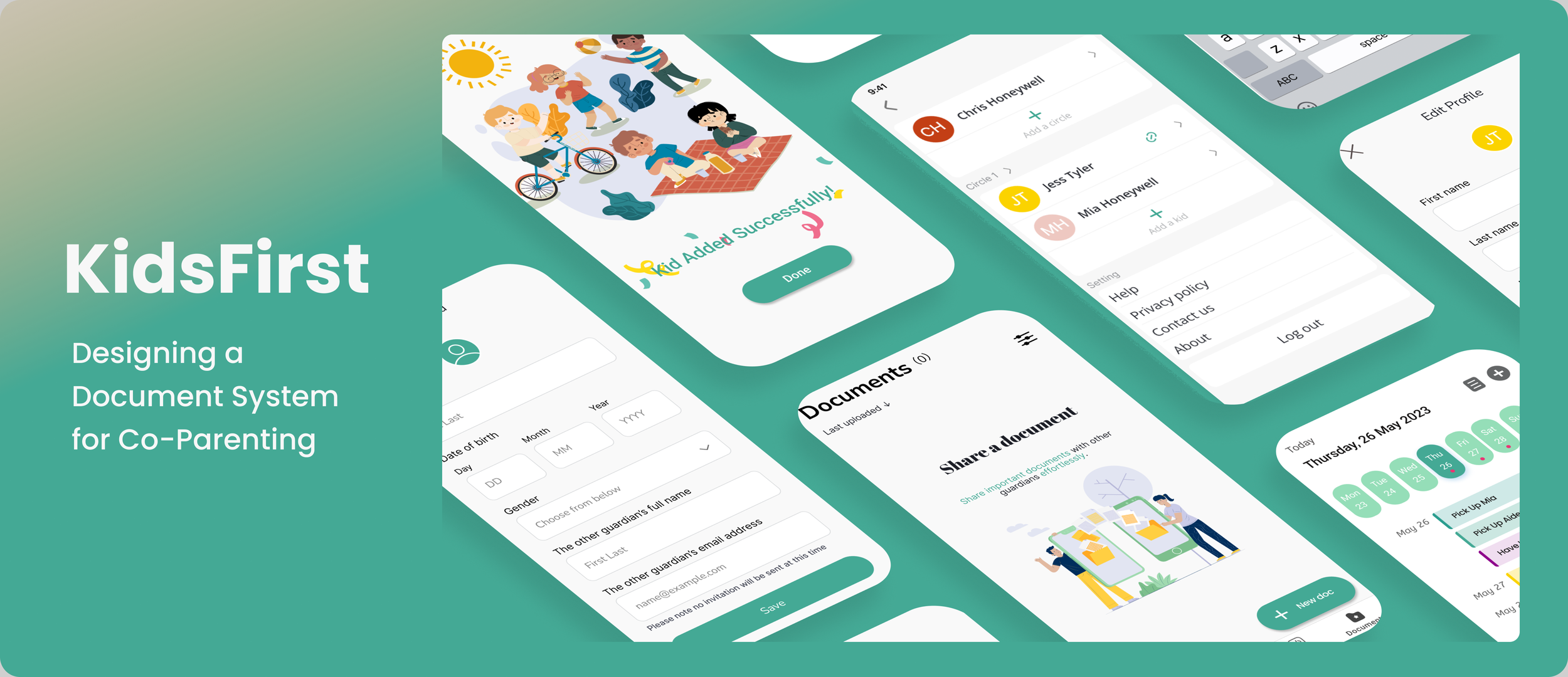
Overview
KidsFirst is an early-stage startup aiming to support separated or divorced parents in managing co-parenting responsibilities and ensuring consistent care for their children.
I worked as a Product Designer in a cross-functional team to define and deliver an MVP addressing key co-parenting challenges.
MY ROLE
Led design of the Document Repository feature (core MVP function)
Conducted research synthesis and feature definition
Designed end-to-end user flows, wireframes, and prototypes
Co-led usability testing and translated findings into iterations
The problem
Co-parenting requires constant coordination — but existing solutions fail to support reliable communication and access to critical information.
Research and user interviews showed:
87% of co-parents struggle with communication
Important documents (e.g. medical records, school files) are often hard to access when urgently needed
This leads to:
Delays in decision-making
Missed responsibilities
Increased conflict between parents
Design Approach
Step 1: Define the MVP
Due to time and resource constraints, we prioritised 3 core features:
Communication facilitator
Shared calendar
Document repository (my focus)
And mapped out the User Story
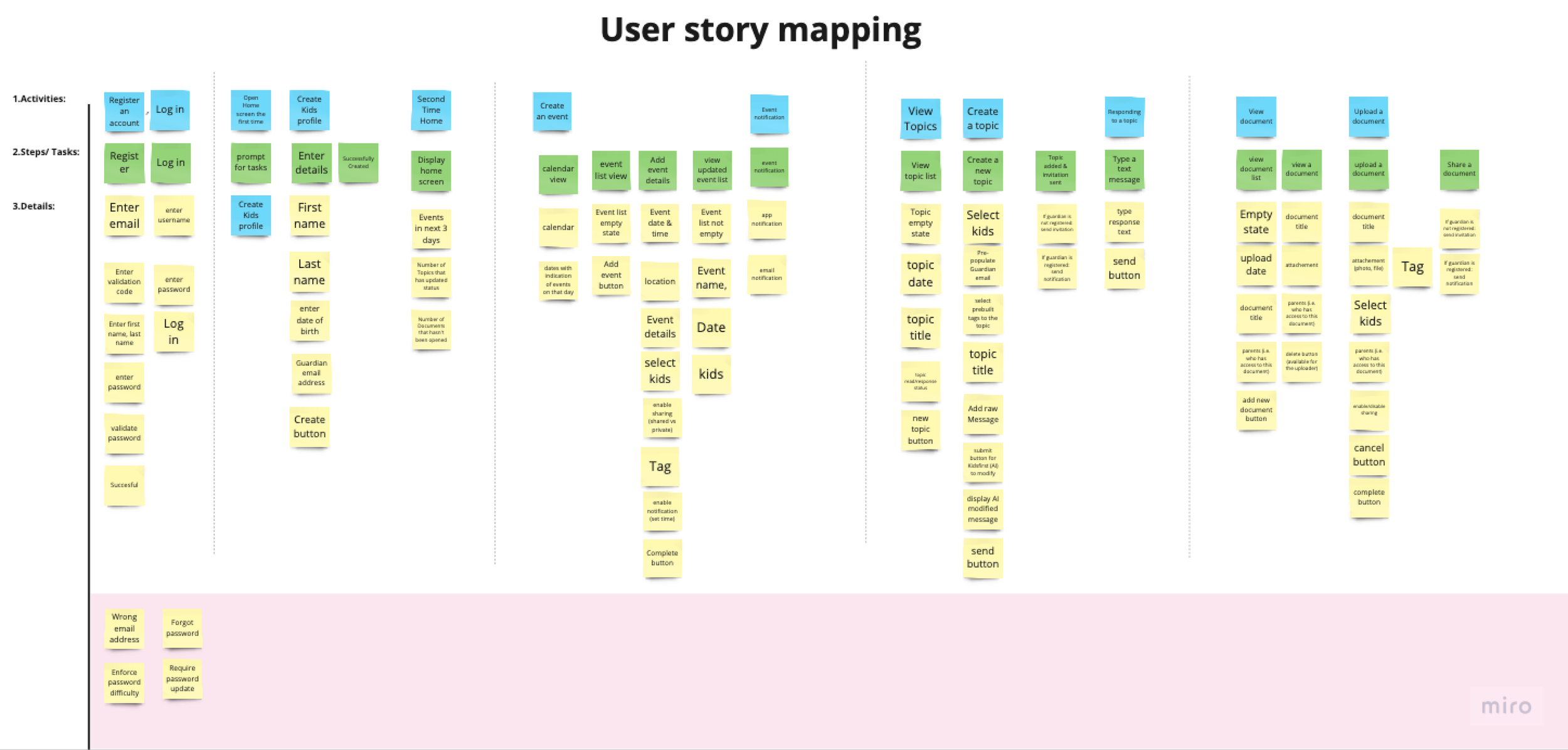
Step 2: Reframing the Problem
Through user interviews and research, one insight stood out:
Co-parents don’t just need storage — they need fast, stress-free access to critical information in time-sensitive situations.
Especially in Medical emergencies, school applications and travel situations.
Existing tools (e.g. chat history, cloud drives) failed because
Information is scattered
Retrieval is slow
No shared structure between parents
So instead of:
“How do co-parents store and share kids-related documents?”
I reframed it to:
“How might we help co-parents instantly locate critical information when they need it most?
Step 3: Key Design Decisions
1. Structured categorisation over search
Due to technical constraints, there will be no search function in the MVP.
So I decided to introduce predefined document categories (Identity / Legal / Medical / School / Travel) to:
Reduce cognitive load
Enable faster retrieval under stress
Create shared mental model between parents
2. Tag-based filtering system
Co-parents can filter documents by the name of their kids / document type to quickly narrow down relevant files and organise without complexity.
3. Inspiration from familiar tools
Instead of copying competitors, I analysed tools like cloud storage apps to leverage existing user mental models and reduce learning curve.

Validation & Results
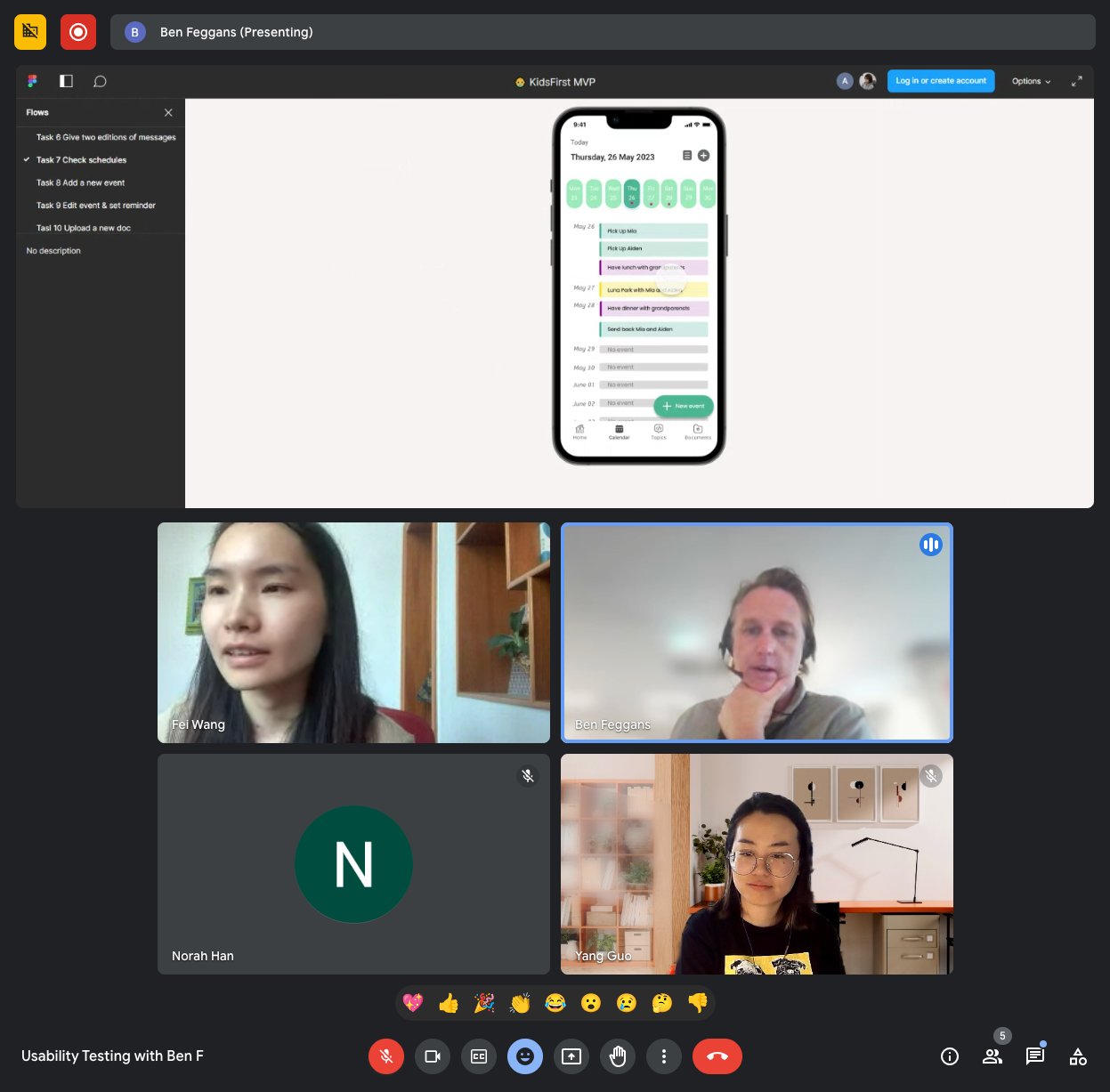

We conducted usability testing with 5 co-parents.
Key outcomes:
✅ 5/5 users successfully uploaded and shared documents
✅ 5/5 users accessed newly shared files easily
✅ 4/5 users located and edited documents without issues
User feedback:
“That’s pretty intuitive — nothing else to click.”
“It’s great that you can upload multiple pages under one document.”
Final product
Document Repository Feature
Easy upload & sharing
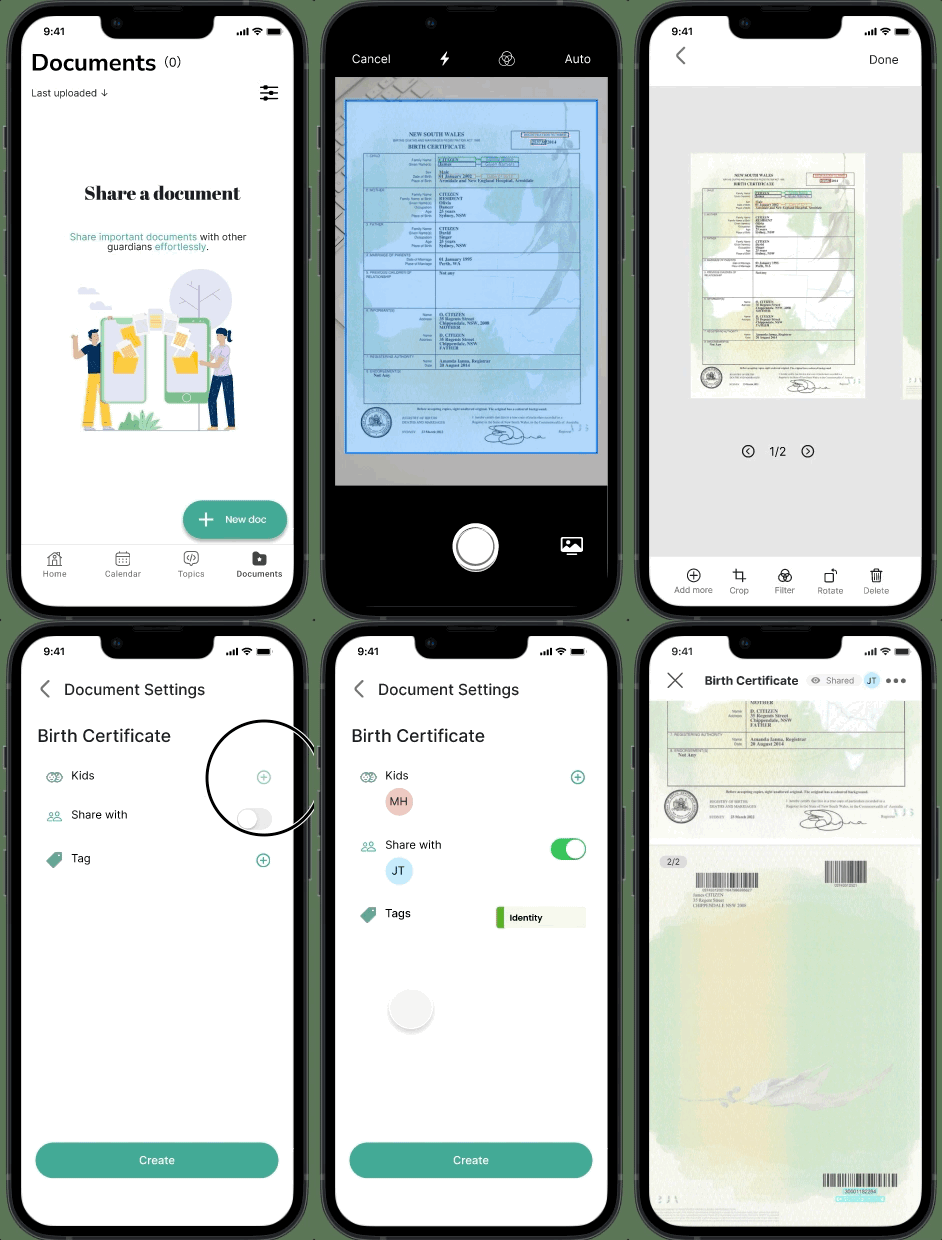
Co-parents can upload relavant photos, files from the phone directly or scan multi-page documents on hand. They can also add prebuilt tags to each document.
Fast access to critical files
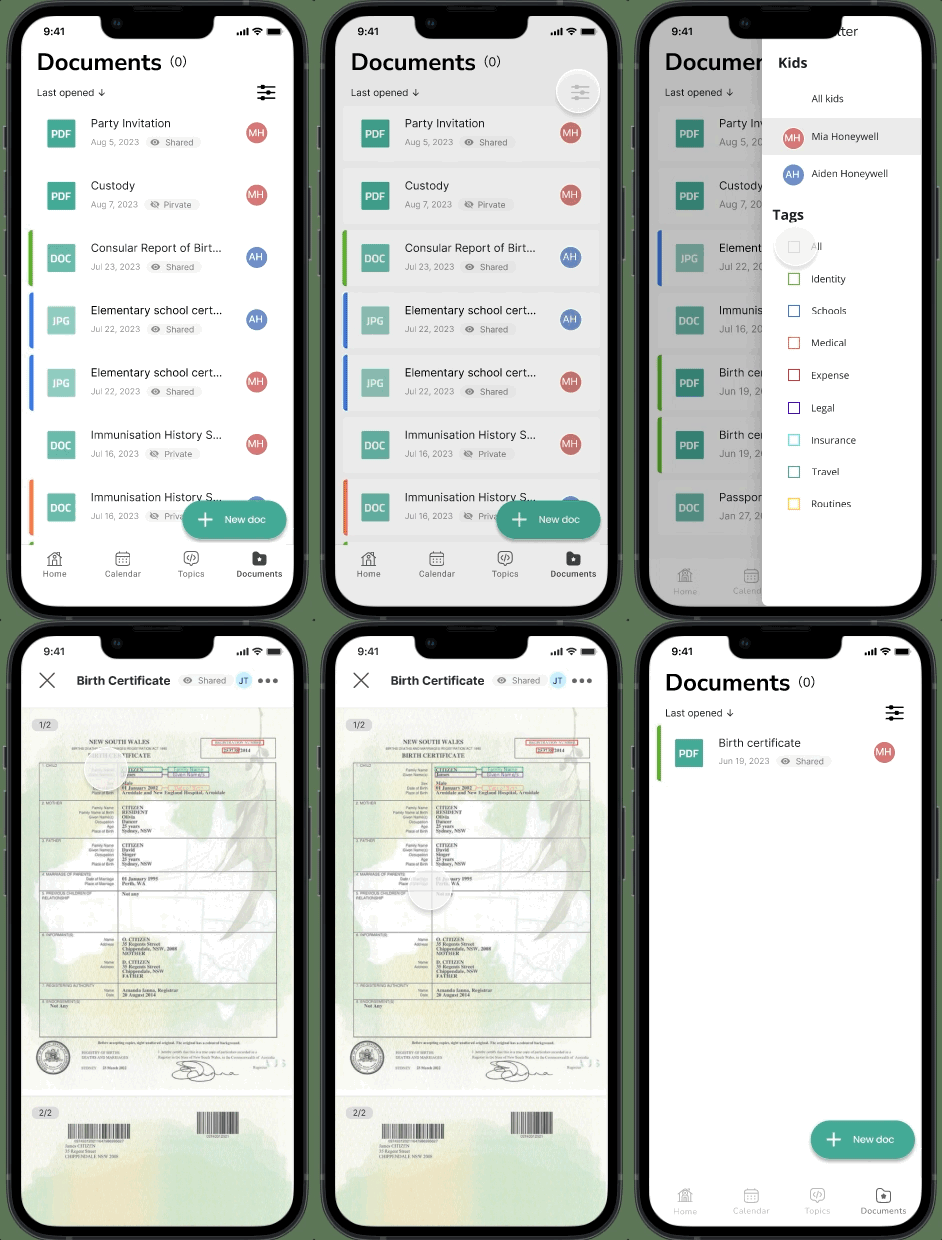
Documents are sorted by recent activity. Co-parents can locate specific documents by filtering kids or/and tags.
Real-time updates
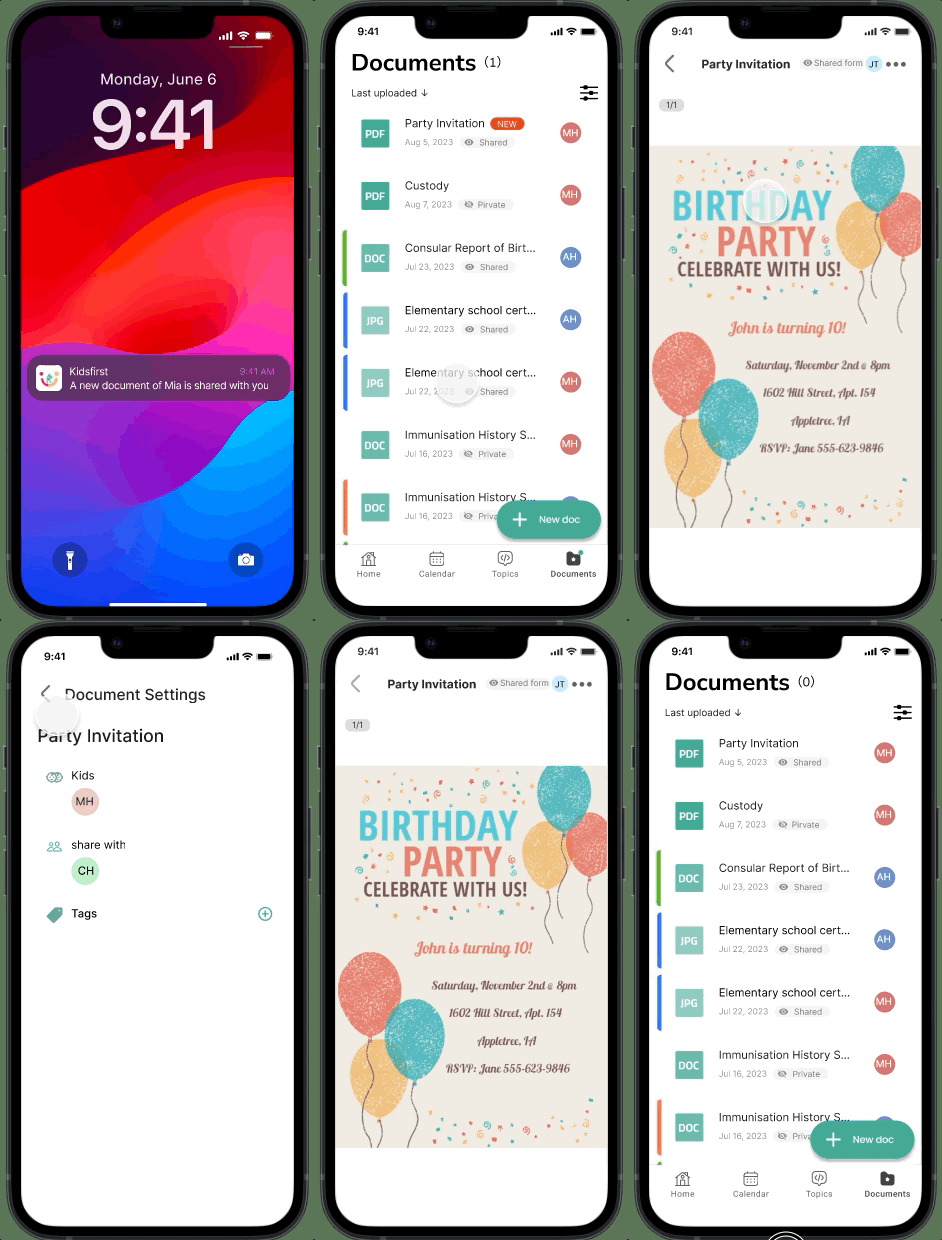
When the other guardian shares a document, co-parent will receive an in-app notification and will be directed to the document directly.
Success Metrics (Planned)
User registration rate
Daily active users
Feature adoption (document uploads & access frequency)
Reflections
Constraints helped prioritise high-impact features
ligning terminology across team members improved collaboration
Designing for clarity and speed is critical in high-stress scenarios